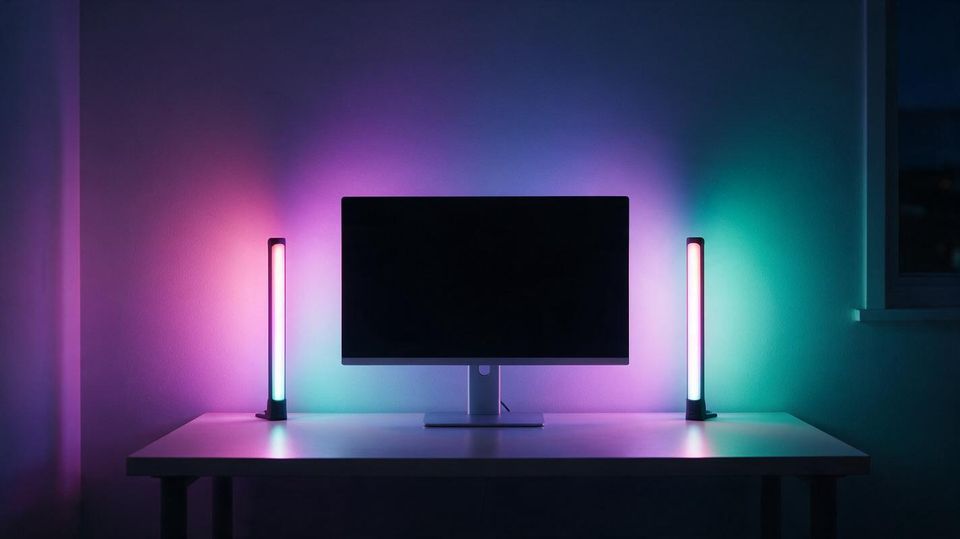
Best Gaming Light Bars UK: Govee vs Philips Hue Play
Light bars turn a plain desk into a gaming den. They sit beside a monitor or TV and wash the wall with colour. The main choice is between Govee's gaming bars and the Philips Hue Play system.
Quick comparison
| Product | Our pick for | Best for | Price band | Link |
|---|---|---|---|---|
| Govee Gaming Light Bars Pro (H6048) | Best for PC gamers | PC desks | £££ | Check price |
| Govee RGBIC Gaming Light Bars (H6047) | Best value | Monitors from 24 to 32 inches | ££ | Check price |
| Philips Hue Play Light Bar Double Pack | Premium pick | Homes already using Hue | £££ | Check price |
Price band compares the products on this page: £ is the cheapest, £££ the most expensive. Prices change, so check the current price.
Govee Gaming Light Bars Pro (H6048)
Best for: PC desks
- Two-pack of gaming light bars
- Wall-washing light effect
- Screen colour sync on Windows via the Govee Desktop app
Worth knowing: Govee says screen sync is Windows only, not Mac.
Check price on AmazonGovee RGBIC Gaming Light Bars (H6047)
Best for: Monitors from 24 to 32 inches
- Twin pack
- 16 million colours with music sync
- Works with Alexa and Google Assistant
Worth knowing: Designed for monitors rather than big TVs.
Check price on AmazonPhilips Hue Play Light Bar Double Pack
Best for: Homes already using Hue
- Stand upright, lie flat or mount to the back of a TV
- One power supply runs up to three bars
- Doubles as regular smart lighting
Worth knowing: Needs a Hue Bridge, sold separately. TV sync needs a Hue Sync Box or app.
Check price on AmazonBefore you buy
- If they already own Hue bulbs, Hue Play fits in. Otherwise Govee is the simpler, cheaper start.
- Measure the screen. Bar size and placement change the effect.
- Screen sync features vary by platform, so check the listing for PC, Mac or console support.
Frequently asked questions
Do gaming light bars need an app?
Most smart light bars are set up through the maker's app. Philips Hue Play bars also need a Hue Bridge, which is sold separately.
Can light bars sync with games?
Some can. Govee says screen colour sync for its Gaming Light Bars Pro works on Windows through its desktop app. Hue TV sync needs a Hue Sync Box or app.
Are light bars better than LED strips?
Light bars sit beside the screen and are easy to move. LED strips stick to the back of a screen or desk and give a wider glow.
How we chose
We shortlisted products that are widely sold in the UK, then compared them using the makers' published specifications, UK retailer listings and published reviews. We looked at who each product suits, its main trade-off and how it compares on price with the others on this page. We have not tested these products ourselves, and no brand paid to be included.
More gift guides
Razer Base Station V2 vs Corsair ST100: Best RGB Headset Stand
Two premium stands with USB hubs and 7.1 surround. Here's how they differ.
Read the comparison →
Best XXL Gaming Desk Mats UK: SteelSeries vs Razer
Full-desk mouse mats compared: thickness, base and surface.
Read the comparison →
Best Monitor Arms for Gaming Setups UK: Ergotron vs HUANUO vs Amazon Basics
Free up desk space with a gas-spring arm. Budget to buy-for-life.
Read the comparison →